



Why Your Workflow Problems Are Not a Staffing Problem
The real reason work gets missed, margins shrink, and your team feels overwhelmed - and how to fix it with better workflow templates.
Here is a scenario that plays out in bookkeeping practices everywhere. Work gets dropped. A client has a quirky requirement that lives in someone's head. A team member leaves and suddenly nobody knows how the BAS process actually runs. The instinct is to blame the team. Reality is almost always something else entirely.
Workflow problems look like staffing problems. They are not.
In a recent XBert webinar, industry specialist Cassandra Scott walked practitioners through the real cause of inconsistent delivery, admin overhead, and team overload - and it comes down to one thing: no documented, repeatable workflow. The good news is that these problems are fixable. Watch the replay.
The Silent Cost of Broken Workflow
When XBert asked attendees about their biggest workflow headaches, two answers dominated: client-specific information getting missed or lost, and all of the above.
That response tells you something important. Workflow management is not just a minor inconvenience. It impacts capacity, accuracy, and the quality of work delivered across the entire practice.
"Workflow management is problematic at all levels within most practices. It impacts on our capacity, our capability and the accuracy and quality of the work that we actually undertake."
What looks like a team problem - unclear ownership, dropped tasks, inconsistent delivery - is actually a process and system failure. The fix is not hiring differently. The fix is designing workflows that do not rely on memory, tribal knowledge, or any one person to hold everything together.
Checklists Are Not Templates
Many practices believe they already have workflows in place. What they actually have is checklists. The distinction matters more than most people realise.
A checklist tells you what to tick off. A template tells your team what to do, how to do it, for which client, with the right person doing it at the right time.
"A checklist tells you what to tick off, whereas a template will actually tell your team what to do, how to do it for this specific client and for the practice with the right person doing it at the right time. And they're two very, very different things."
Checklists tend to be static, built differently for every client, assigned to one person, and missing time estimates. Quality control is usually an afterthought. Templates solve all of this - not by adding complexity, but by removing the need for constant human decision-making at every step.
What Makes a Workflow Template Actually Work
Cassandra walked through six elements that separate a high-quality workflow template from a glorified to-do list.
1. Clear task naming.
Obscure labels like "payments" create confusion. Name every task so a new team member walking in the door would understand exactly what needs to happen, why, and for whom - without a handover conversation.
2. Logical sequencing.
A random brain dump of tasks is not a workflow. Subtasks need to follow a sequence that reflects how the work actually flows, so nobody is running a final report before completing the checks that should precede it.
3. Estimated time - per client.
Not as a generic guess. This feeds directly into capacity planning, pricing conversations, and the ability to compare estimated versus actual time. Without it, you are flying blind on whether clients are being quoted correctly or whether team members have the capacity for what is being assigned to them.
"If we're working with fixed fee, the only thing you can really control is time. So if you don't have a line in the sand about how much time you're estimating to work for a particular client, for a particular task, how do you know whether you're over quoting or under quoting?"
4. Role-based assignment.
Assigning work to a role rather than a named individual means that when someone leaves or changes positions, the work automatically reassigns. The bookkeeper delivers the bookkeeping work, regardless of who is currently sitting in that seat.
5. Client-specific information surfaced at the right moment.
Not baked into a separate client-specific template, but linked via notes that appear at the relevant subtask. One standard template, with the right information surfacing for the right client at the right point.
6. Built-in quality control.
Review steps and sign-off points are cooked into the process, not bolted on as an afterthought. For Australian practitioners, this directly supports QMS compliance under TPB requirements - not as extra work, but as a natural outcome of well-designed workflow.
The Inverted Triangle Principle
One of the most practical insights from the session was what Cassandra calls the inverted triangle. Do more work upfront to do less work down the track.
Building a detailed template takes time. But you build it once. Every subsequent use draws on that investment without additional effort.
"You do it and you do it once and you don't have to do it again. But what it saves often is that, oh, I'm not quite sure what this means. Can you explain it to me?"
If team members keep asking the same questions, that is a signal. The knowledge is missing from the template, not from the person. The fix is to go back into the template and add the information - not to answer the same question for the fifth time.
This is also why templates should include descriptions, information notes on individual subtasks, and even attachments like work papers. An STP finalisation template, for example, can have the relevant work paper attached so it is ready to open and complete the moment that job lands on a team member's work board.
Schedules That Match How Work Actually Runs
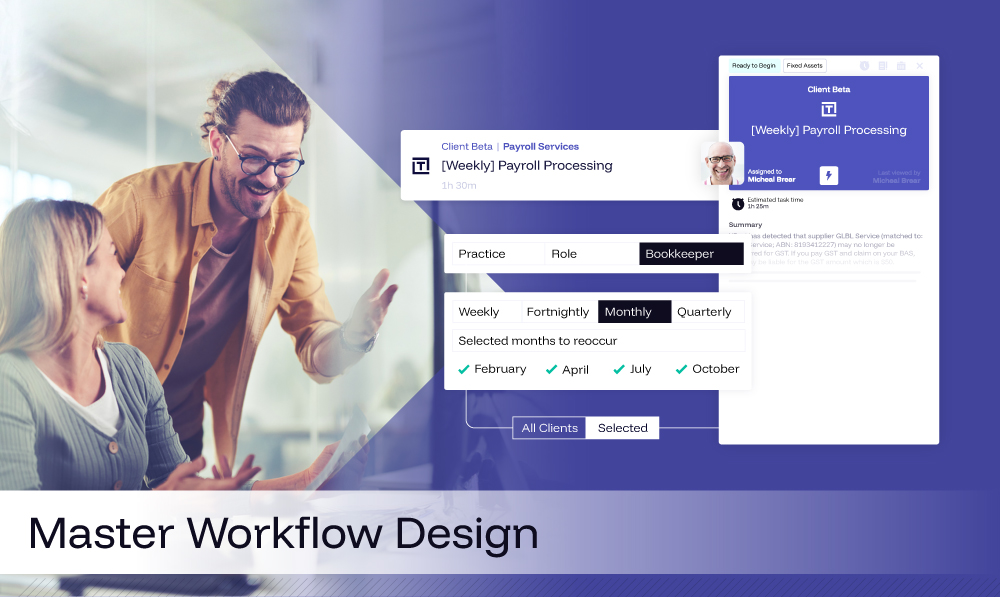
Templates and schedules work together. XBert's workflow automation (https://www.xbert.io/workflow-automation) allows you to build a single template for a type of work - payroll processing, for instance - and then attach schedules that reflect the frequency for each client.
This means you do not need a weekly payroll template and a fortnightly payroll template. You need one payroll template and schedules that specify the frequency.
"You just need a payroll processing template. Your template is for the work irrespective of how frequently or infrequently it may be delivered."
Schedule naming also matters. Having twenty schedules all called "fortnightly payroll" is next to useless. Naming them with the start date, frequency, and day - fortnightly fortnight one Monday, for instance - means anyone can see at a glance what each schedule contains without drilling into every one.
When a job generates from a template and schedule, it lands on the assigned team member's work board with everything they need: subtasks in sequence, estimated time, client-specific notes surfaced at the right step, and any attached work papers. The work is ready to begin. Nothing is being missed.
Visibility Across the Whole Practice
One of the most common pain points raised during the session was this: no visibility over what the team is actually working on.
When work lives in someone's head, or in a spreadsheet only they maintain, the rest of the practice is flying blind. Documenting your workflow changes that - once a process is captured, it becomes visible to the whole team, not locked away with one person.
XBert's analytics and reporting build on that foundation, surfacing estimated versus actual time, team workload, and job status across every client - without anyone having to ask.
"Anybody should be able to see where work is at without necessarily asking for somebody else to surface that information."
This is what the Time Flow board delivers in practice. Tasks generated from templates appear on team workboards. Progress is visible. Time is tracked. Capacity becomes a real number rather than a feeling.
For attendees who watched the live demo, this was the moment things clicked. The template they had spent time building was not just a checklist. It was the mechanism that made everything else - capacity planning, pricing, quality control, team visibility - actually work.
How to Start Without Rebuilding Everything
The session closed with a clear action plan. Start with one template. Pick the piece of work you do most often. Check it against the six elements covered in the session. Build it properly, then move to the next one.
To make that easier, we've put together a workflow template guide you can download - it walks through the six elements and gives you a structure to build against. Grab the guide here.
"Start simple before you try to over complicate things. The goal is a small curated library of strong templates. We don't want a sprawling folder of one offs."
Get your team involved. They are often the people who know best how the work actually runs day to day. Having them peer-review templates before finalising gives them ownership - and surfaces gaps you would not catch on your own.
And before you build a second template for a client variation, ask whether a client note would do the job instead. In most cases, it will.
If you missed the live session, the full replay is available now and walks through the complete demo, including the STP finalisation template, TPAR template, schedule setup, client note linking, and the Time Flow board in action. Pair it with the downloadable template guide to put it into practice.
Your workflow templates are either working for you or working against you. The practices that invest in getting this right - with clear naming, logical sequencing, role-based assignment, and quality control built in - are the ones that scale without hiring, deliver consistently without constant oversight, and show up for clients with confidence every time.

