


XBert is the only workflow platform built on live accounting data. When a data alert fires, it lands in the right workflow. That's unmatched quality efficiency.
Intelligent Workflow Automation
XBert is the only workflow platform built on live accounting data. When a data alert fires, it lands in the right workflow. That's unmatched quality efficiency.
Your team always knows what to work on, when to work on it, and why it matters.
The XBert Difference
Most Workflow Tools Are Disconnected. XBert Isn't.
Practice management software manages tasks.
Data quality tools manage alerts.
When they're in separate systems, your team context-switches, misses signals, and works from stale information.
XBert connects both in a single platform.
Your workflow is aware of your clients' data.
Your data is aware of your workflow.
That's the compound effect customers describe as game-changing.



Visual task management.
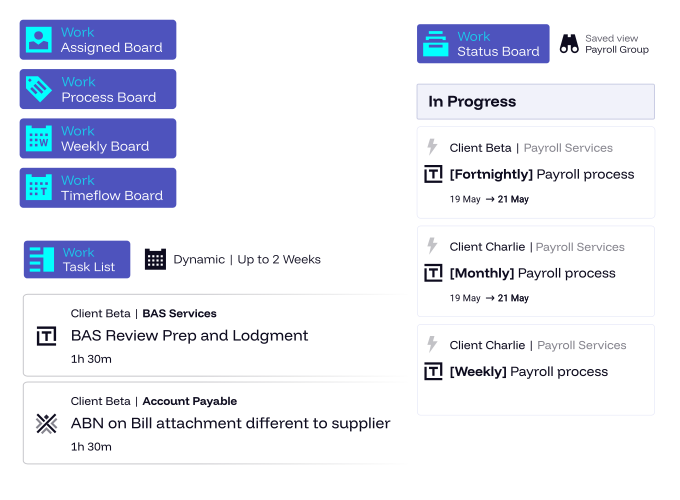
See every job, every client, every team member at a glance - via a range of flexible views.
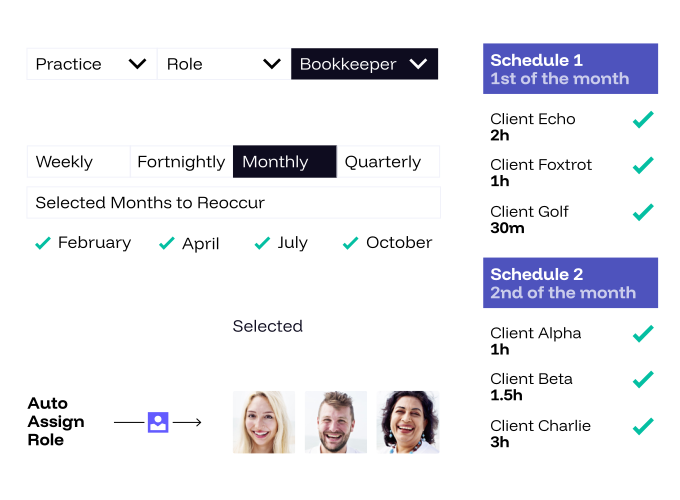
Build recurring workflows for BAS, GST & VAT review, payroll, month-end, annual returns, and any other service. Set it once. XBert runs it.
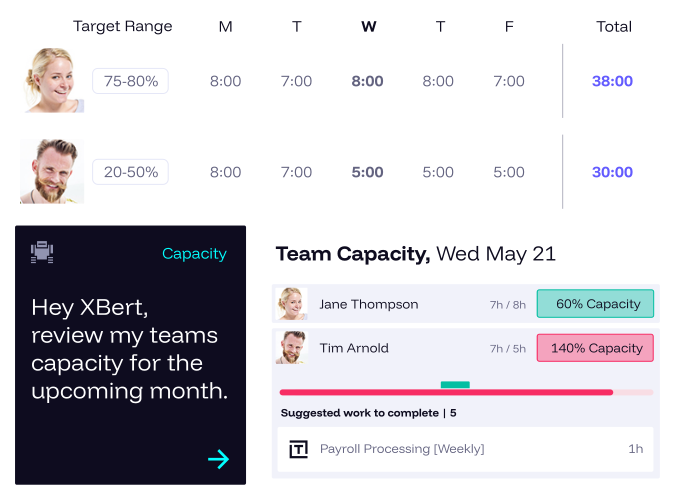
Know who's overloaded and who has availability - in real time. Stop guessing. Just ask XI.
Set time on schedules, per client, and ask XI who's over allocated time to know where to improve efficiencies.
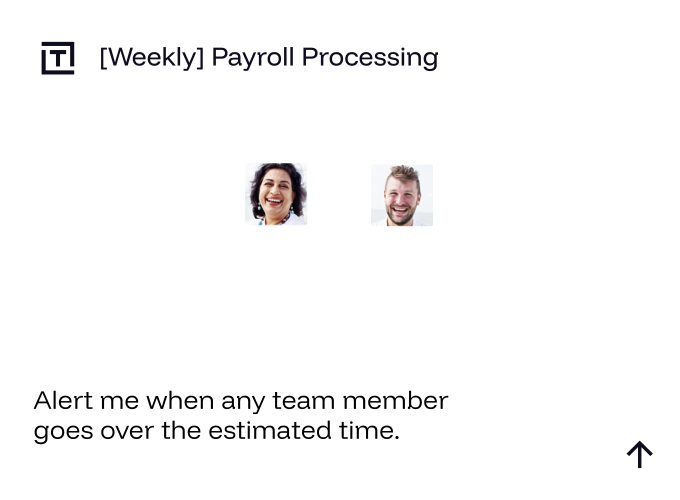
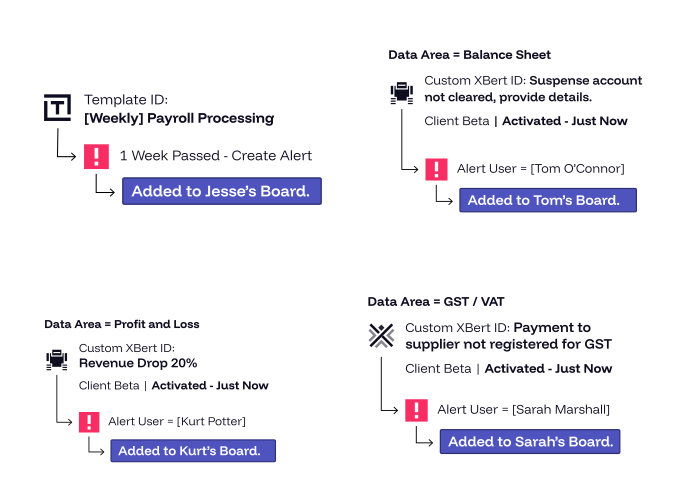
Tasks are created automatically based on data events - like when a GST or VAT anomaly is detected or a threshold alert fires.
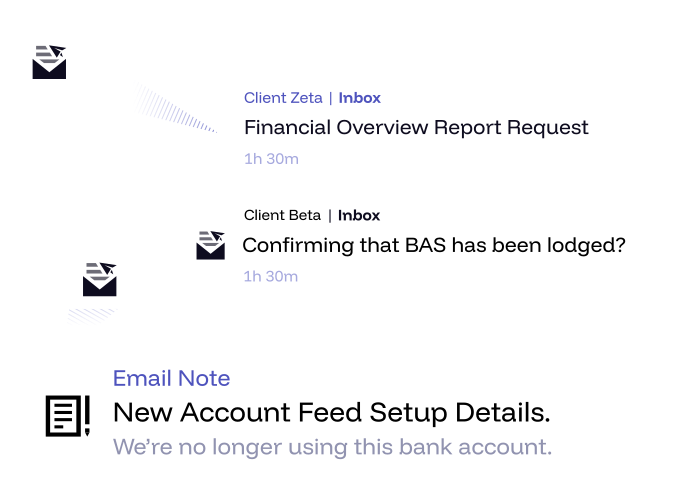
Emails from clients can automatically generate tasks or notes in XBert - eliminating the manual step of converting requests into work items.
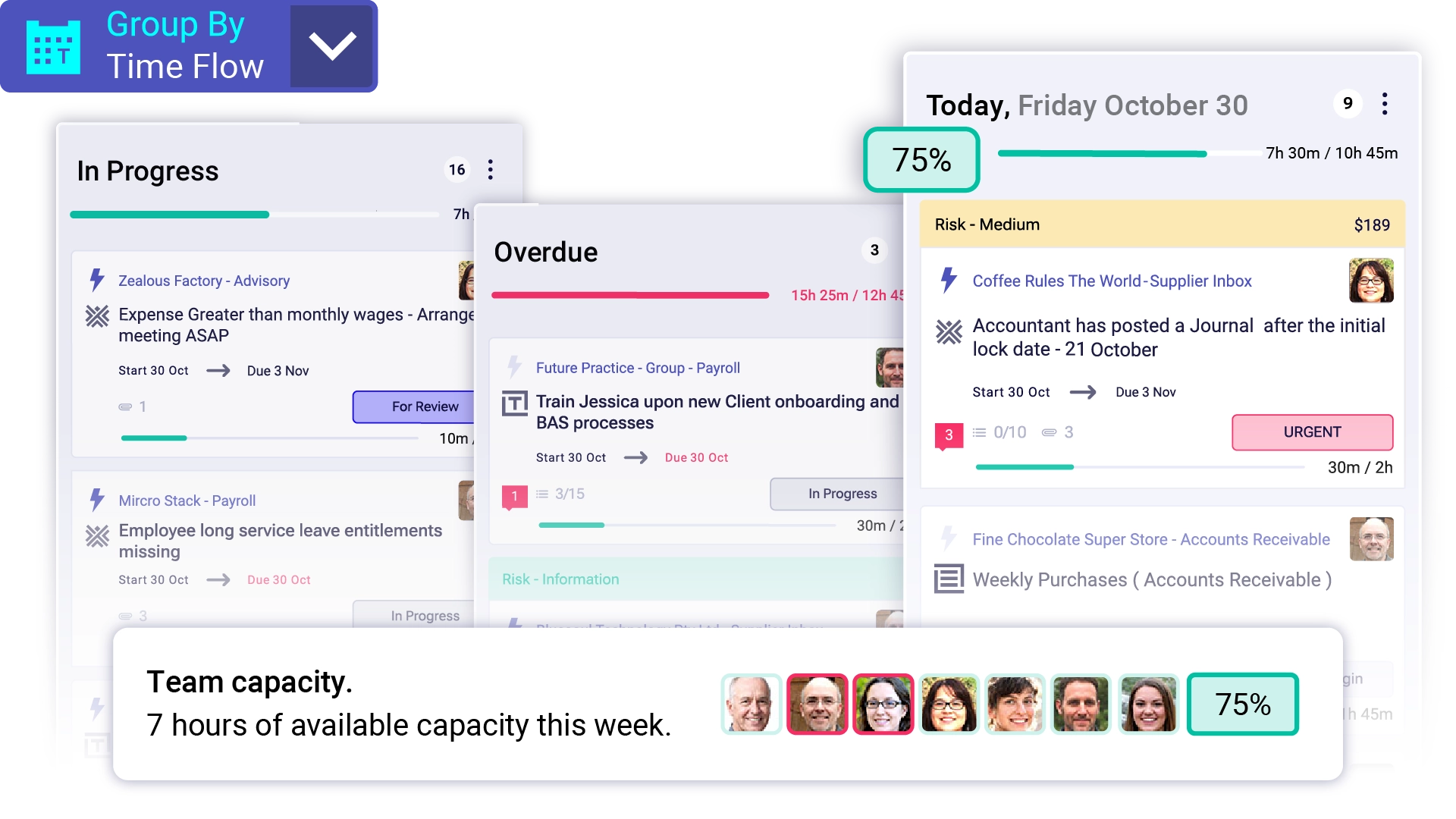
Visualise your team’s workload over time to balance capacity and avoid bottlenecks. The Time Flow View helps you forecast availability, plan realistic deadlines, and keep projects on track without overloading anyone.
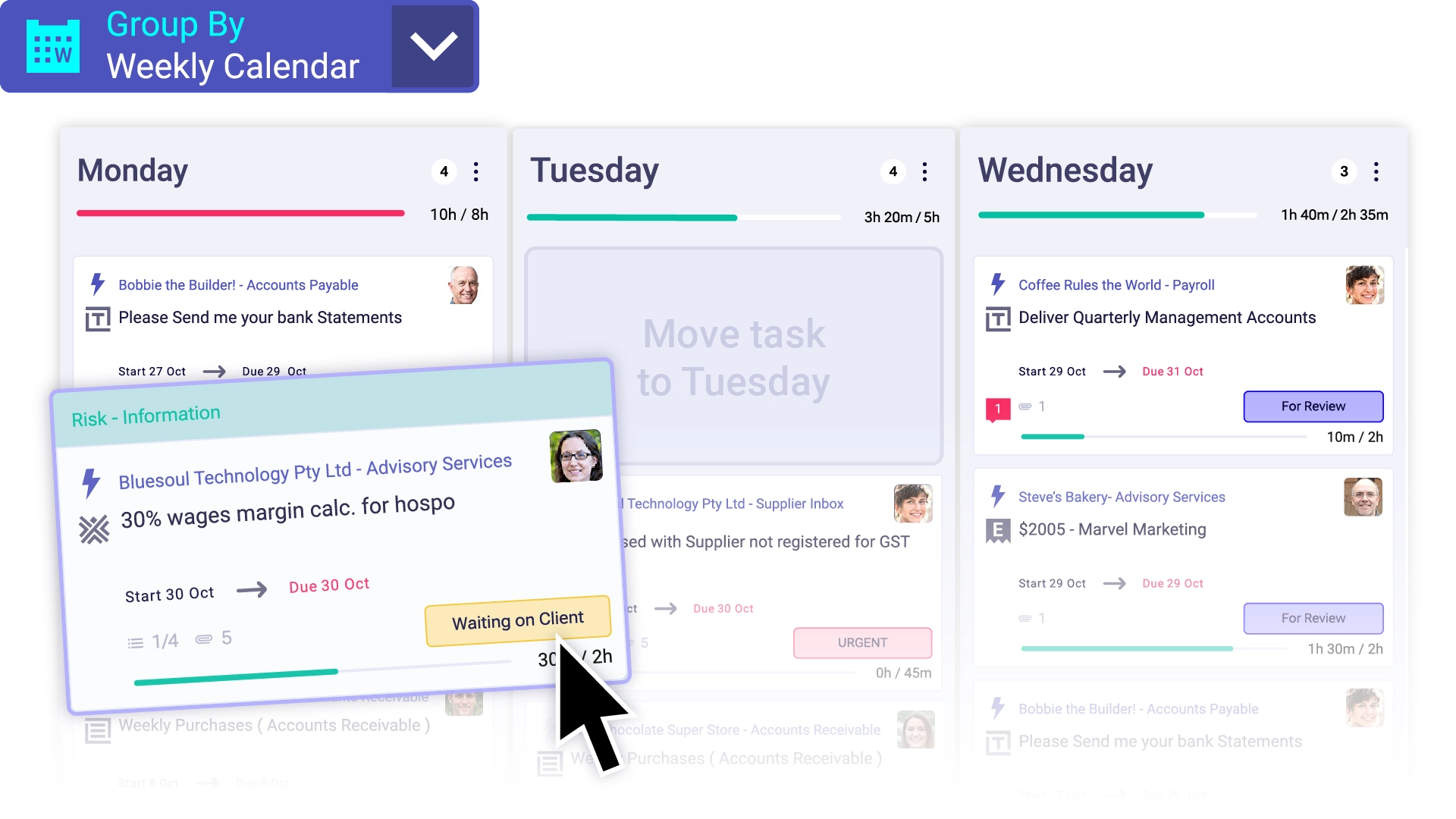
Stay focused on what matters most this week. Teams can organise, prioritise, and adjust their workload in real time, keeping everyone aligned and productive from Monday to Friday.
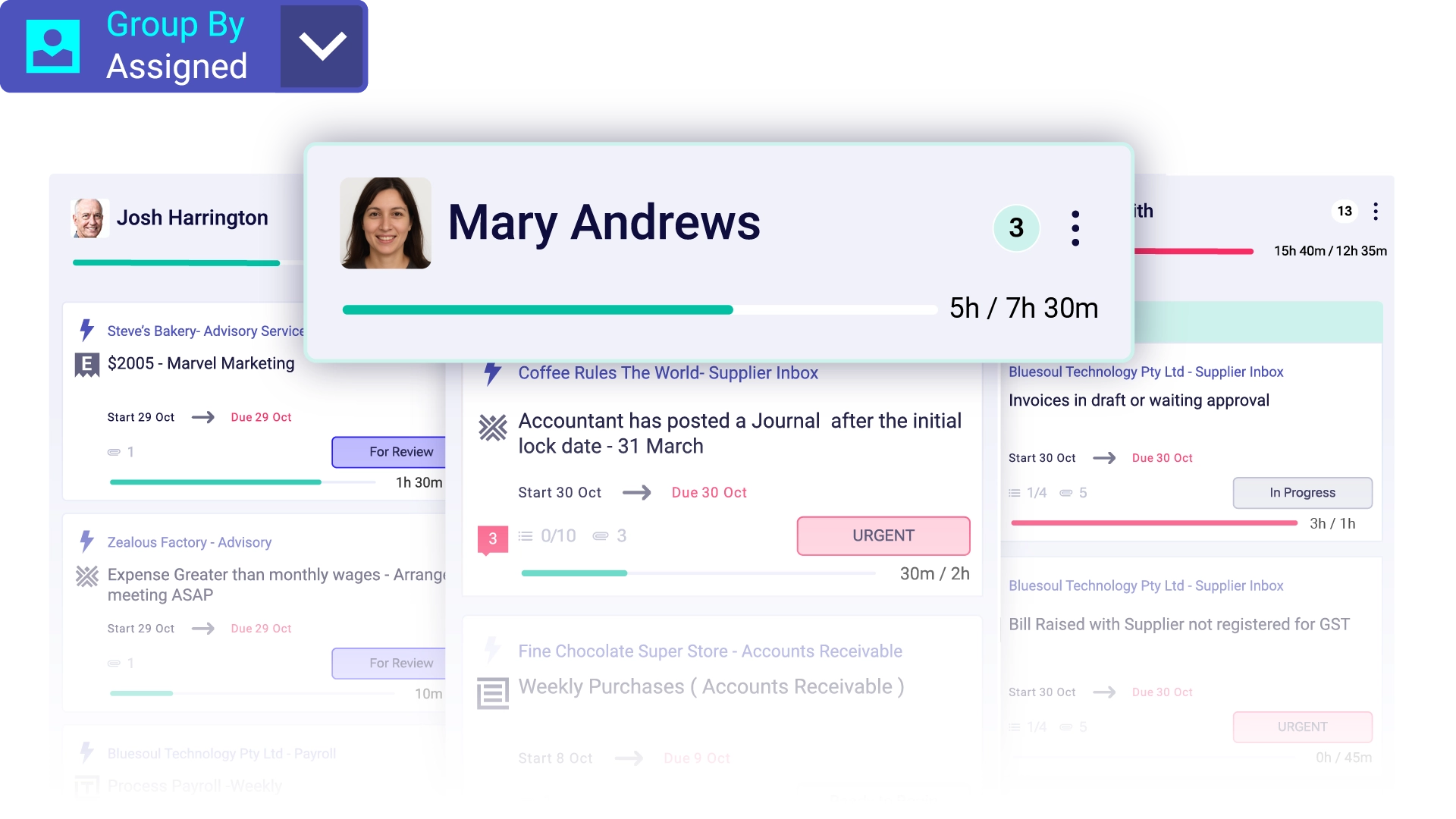
See who’s responsible for what — and what’s due next. Assigned View makes it simple to track individual workloads and ensure nothing falls through the cracks.
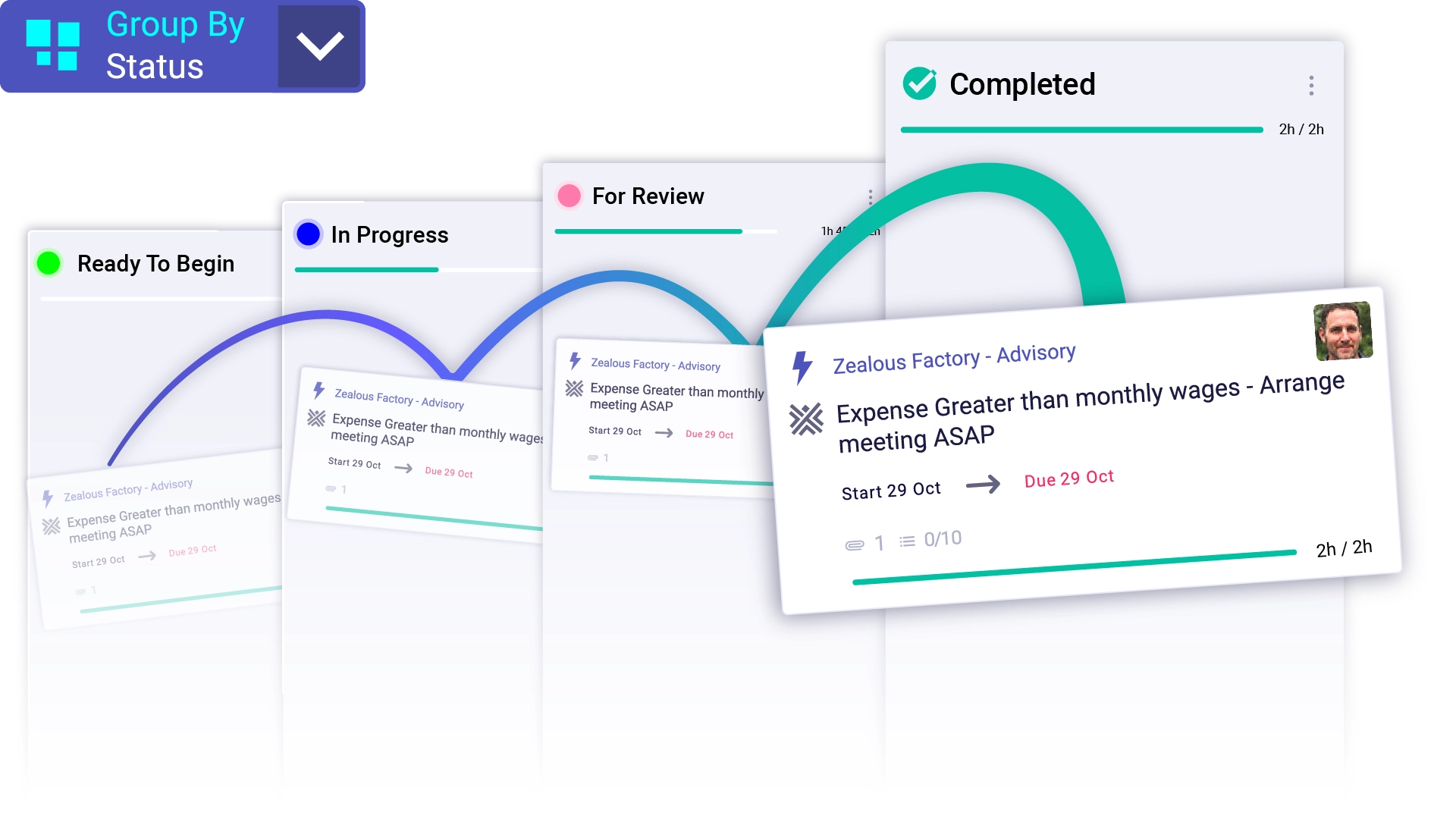
Easily review the stage of every task or project. The Status View gives you instant insight into progress, blockers, and priorities so you can make informed decisions without chasing updates.

Create repeatable, reliable workflows for your team. With Process View, your team follows the same steps every time, ensuring quality, accountability, and efficiency across all your operations.

List View provides a simple way to work through each of your processes on all clients at a time. Use powerful filters, saved views and bulk actions for ultimate efficiency.
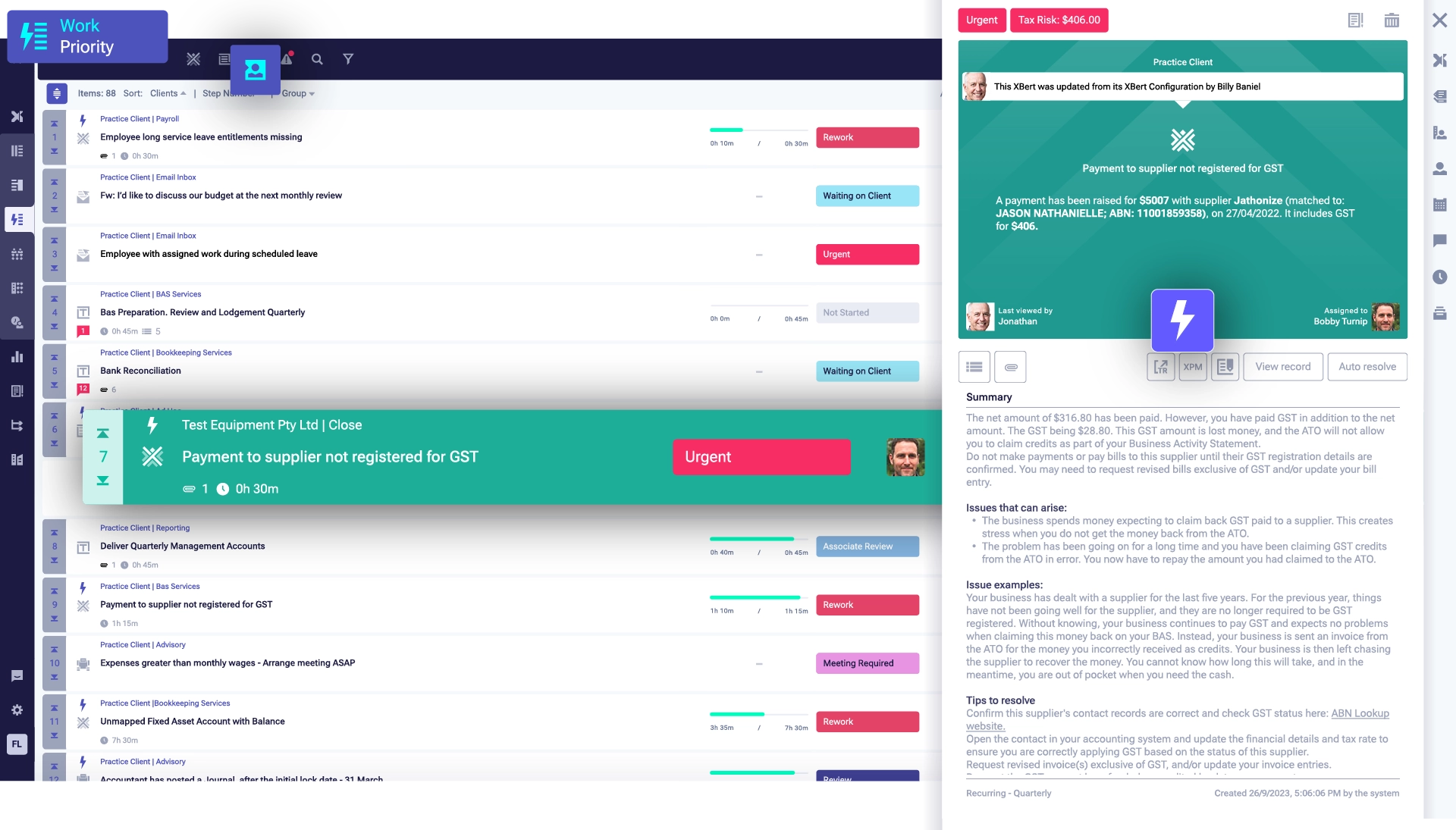
Priority View provides a simple view of each team members tasks for any period. Great for re-ordering and focusing on the days work.
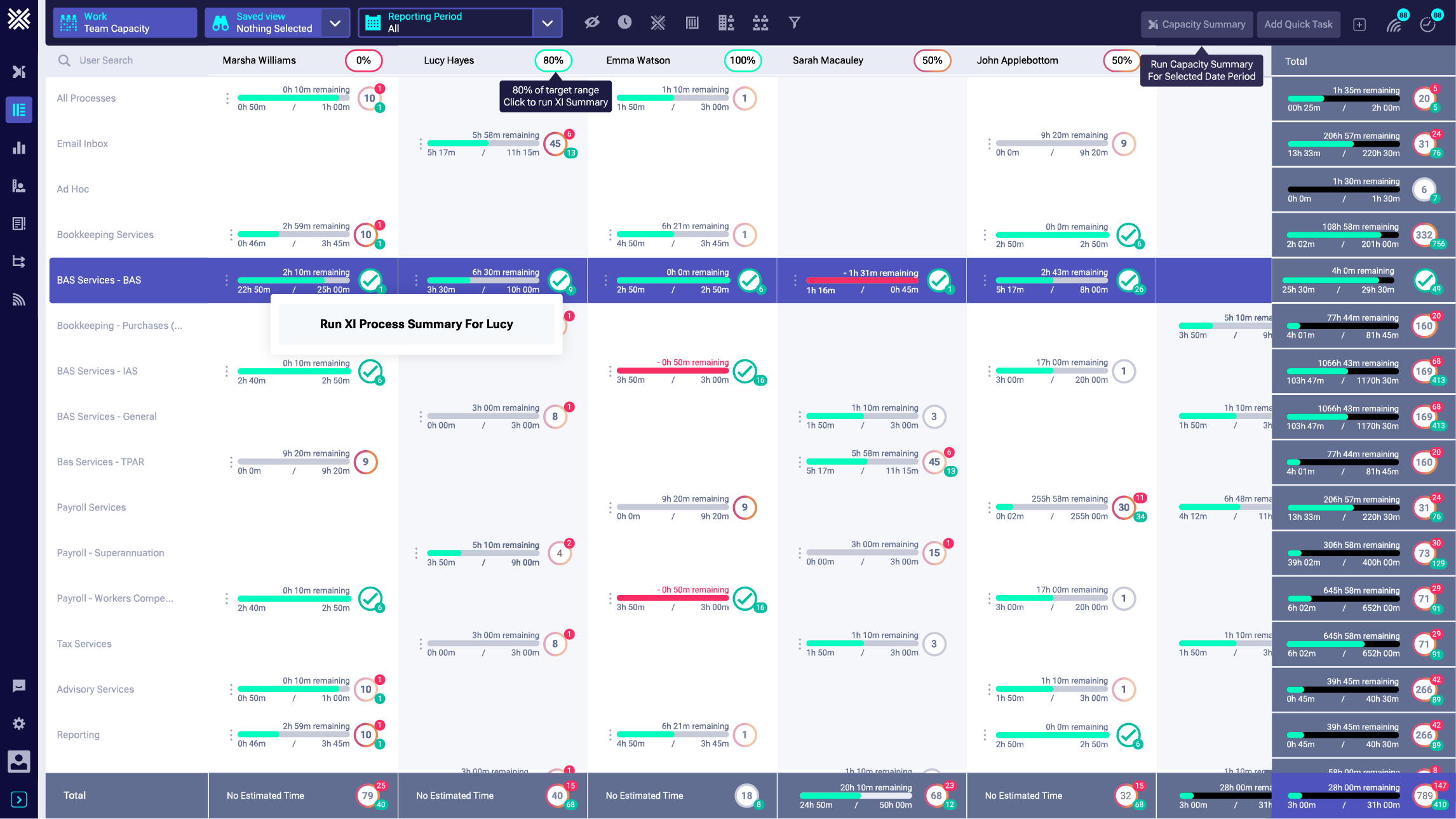
XBert team capacity board lets managers see what team and client need to do, what's overdue and what's complete in any time period.

Share tasks, XBerts and emailed in correspondence with clients to resolve risks and get answers, like on purchases faster - in client portals.
Visualise your team’s workload over time to balance capacity and avoid bottlenecks. The Time Flow View helps you forecast availability, plan realistic deadlines, and keep projects on track without overloading anyone.
Stay focused on what matters most this week. Teams can organise, prioritise, and adjust their workload in real time, keeping everyone aligned and productive from Monday to Friday.
See who’s responsible for what — and what’s due next. Assigned View makes it simple to track individual workloads and ensure nothing falls through the cracks.
Easily review the stage of every task or project. The Status View gives you instant insight into progress, blockers, and priorities so you can make informed decisions without chasing updates.
Create repeatable, reliable workflows for your team. With Process View, your team follows the same steps every time, ensuring quality, accountability, and efficiency across all your operations.
List View provides a simple way to work through each of your processes on all clients at a time. Use powerful filters, saved views and bulk actions for ultimate efficiency.
Priority View provides a simple view of each team members tasks for any period. Great for re-ordering and focusing on the days work.
XBert team capacity board lets managers see what team and client need to do, what's overdue and what's complete in any time period.
Share tasks, XBerts and emailed in correspondence with clients to resolve risks and get answers, like on purchases faster - in client portals.

Your Team Deserves a Bookkeeping Workflow That Actually Works.
Free Bookkeeping Templates and Best Practice Process are loaded and waiting for you to get started fast.
What makes XBert different from other bookkeeping workflow software?
How quickly can my firm get started with XBert workflow automation?
How does XBert's multi-schedule template automation work?
How does XBert help with capacity management for remote and part-time accounting teams?
Can XBert automatically create tasks from client emails?
What are automated task triggers in XBert?
How does XBert workflow automation connect to client ledger data?
Can I manage time tracking and budgets inside XBert's workflow?


