


Your clients send receipts in. XBert splits the line items, checks the tax, checks for duplicates and anomalies, suggests coding, and puts the work on your board, assigned to the right person. You check it, you publish it - or auto publish it.
Receipt Capture · Now available in Beta
Your clients send receipts in. XBert splits the line items, checks the tax, checks for duplicates and anomalies, suggests coding, and puts the work on your board, assigned to the right person. You check it, you publish it - or auto publish it.
No second system to log into. Unlimited on every connected client. No add-on, no per-client charge.
The XBert Difference
A Receipt Isn't a Document.
It's Work.
XBert started as a workflow and data quality platform, checking the entries that land in your clients' ledgers from every other system. Building Receipt Capture into XBert means one less tool in your stack, and the data coming in is checked by the same engine that flags the errors going out.
Every receipt your client sends needs someone to check it, code it and publish it. That's a job.
It needs to be assigned to someone, it needs to fit in their week, and someone needs to know when it's done.
When receipts live in a separate app, none of that happens. They sit in another queue, behind another login, invisible to your capacity planning and your work board. Someone has to remember to go and look.
Receipt Capture puts receipts where the rest of your work already is.
Each one becomes a work item on the XBert board, routed to the right process and the right team member, counted in their capacity, and tracked through to done.
One board. One queue. One less login.
"Love your product, guys. I love receipt capture."
"I love, love, love the way it pulls all the information off the page.
It's just so easy, so nice to read. It's like a proper system for me to work with."
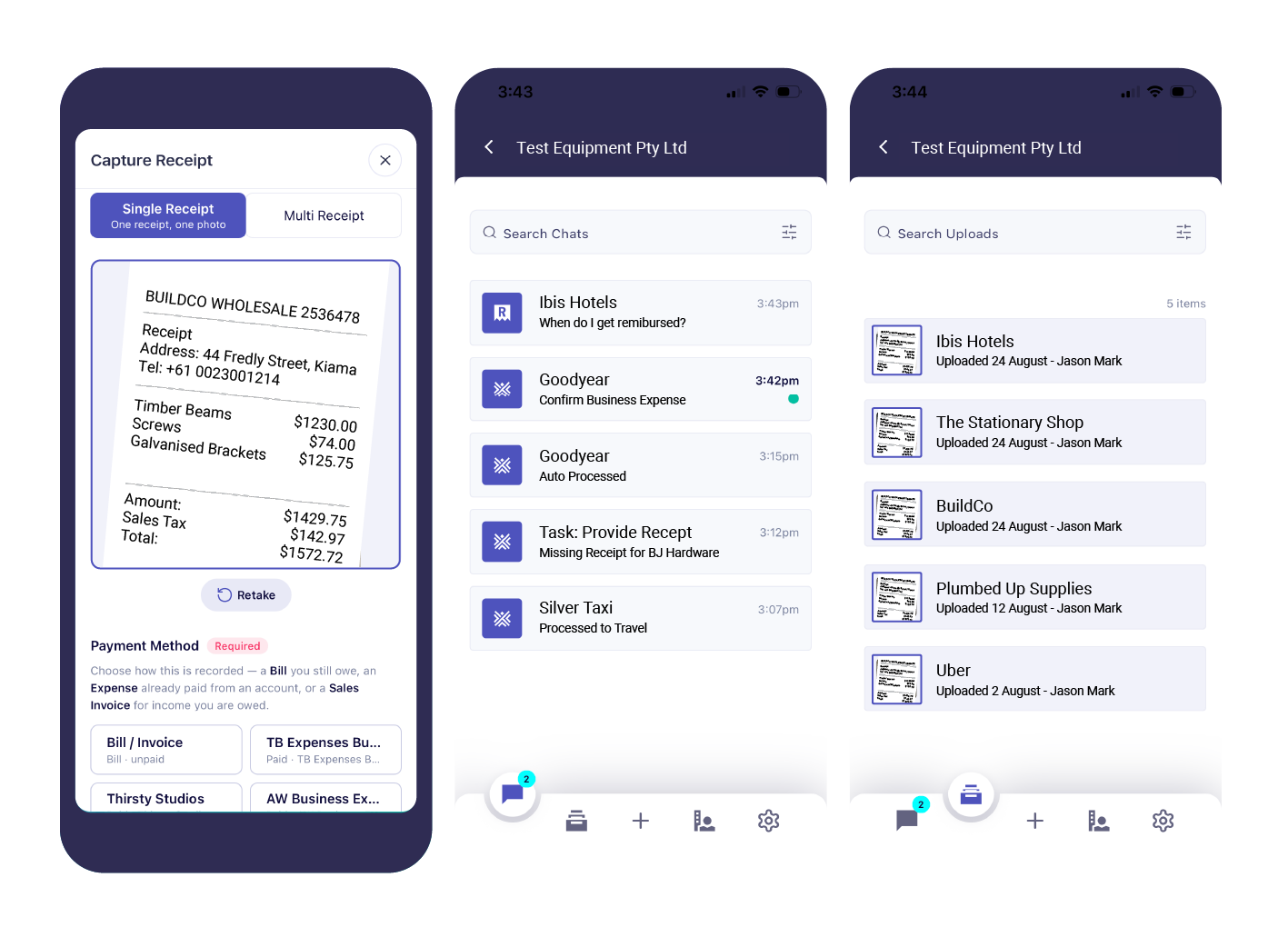
Give your clients an app to send you receipts. They take a photo or upload a file on their phone or in a browser, and it lands straight in XBert - in your workflow.
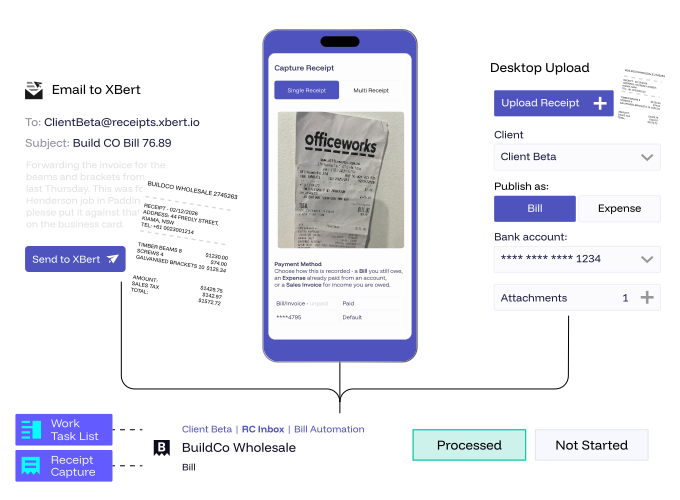
Receipts arrive from the XBert Capture app, a dedicated receipt email address for each client, upload in XBert, Quick Add, or the Connect portal. However they arrive, they end up in the same place.
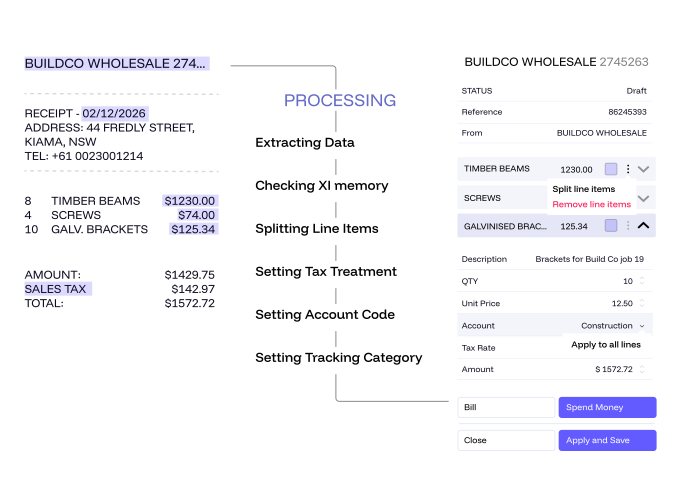
Receipt Capture reads the supplier, date, total, tax and individual line items, then suggests the account, tax rate and supplier based on how that client's ledger has been coded before.
Every receipt is listed and ready to review. Check the suggested coding, change anything you want, and decide whether it's a bill or a spend money.
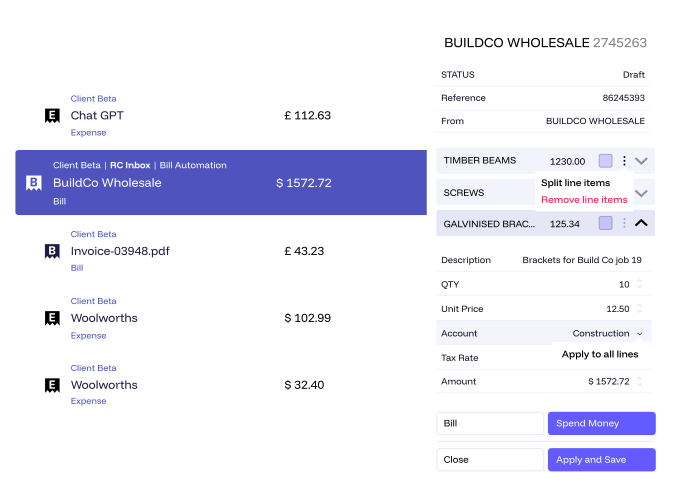
Correct the coding once and XBert remembers it for that supplier and that client. The next receipt comes through the way you want it.
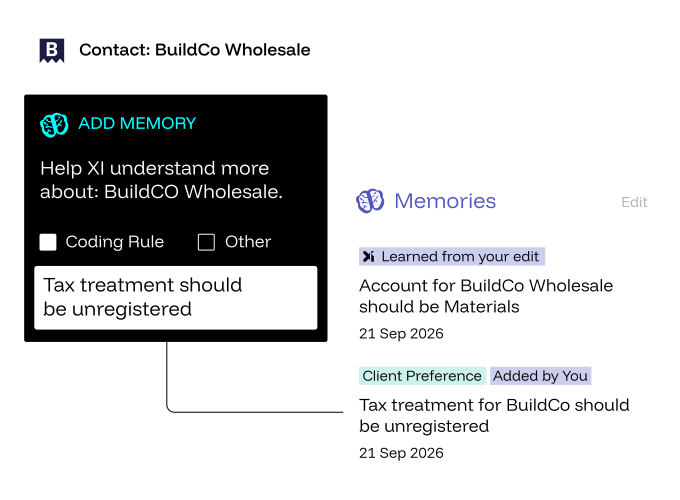
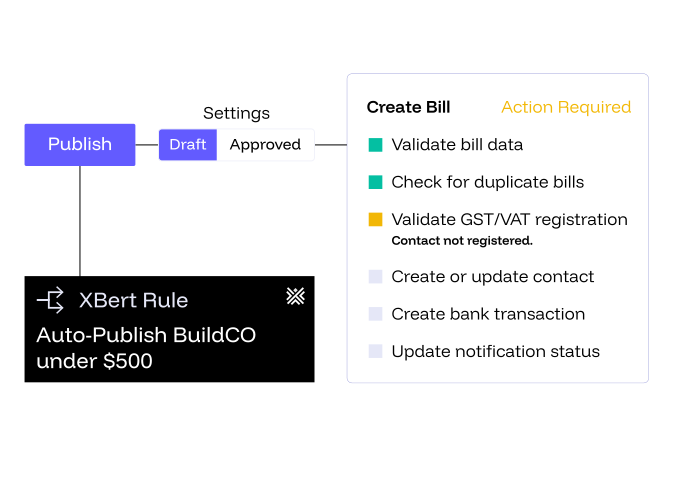
When you're happy, publish. XBert creates the bill or spend money in your client's ledger with the receipt attached, ready for you to match against the bank line.
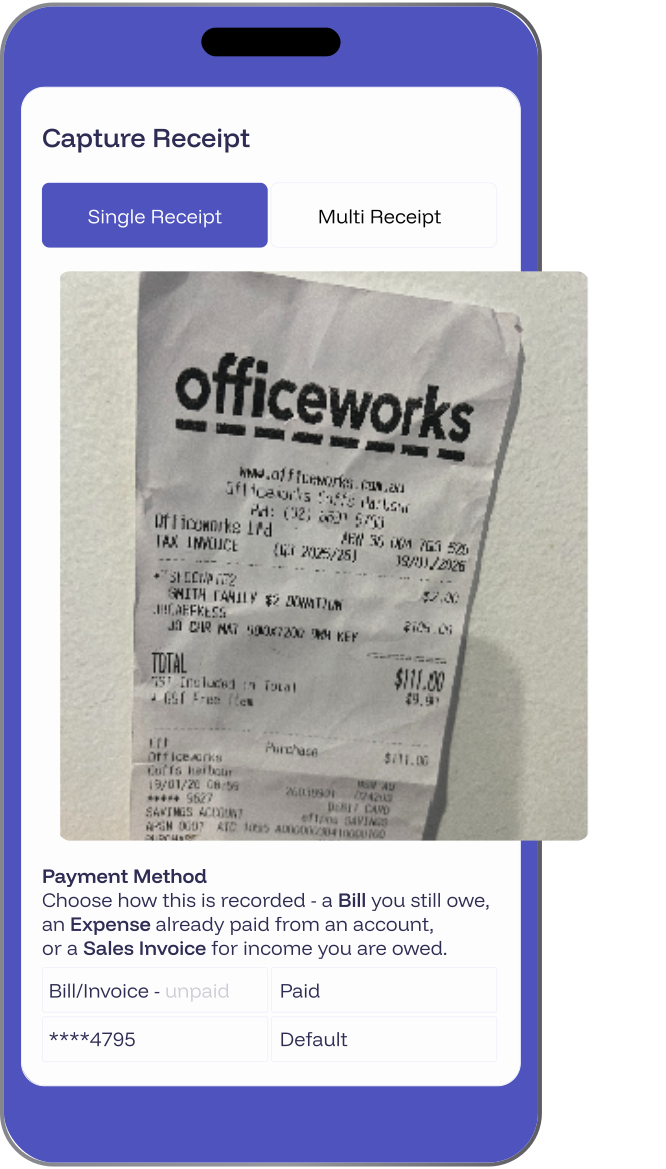
Your client taps +, takes a photo or picks a file, and sends. It lands with you in XBert straight away. No portal to log into, no email chain, no shoebox at quarter end.
Every receipt your client sends is read and split into line items, the tax is checked, and the coding is suggested from how their books have been coded before. XBert also checks the supplier's tax registration, so documents that don't add up are flagged before anything is published.
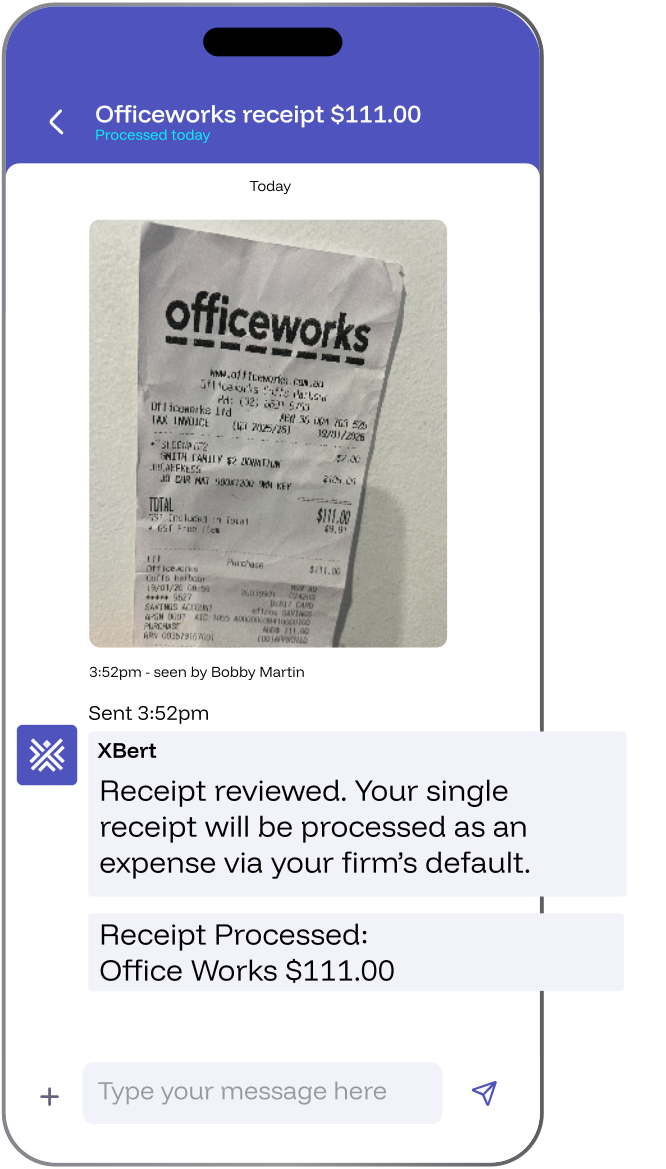
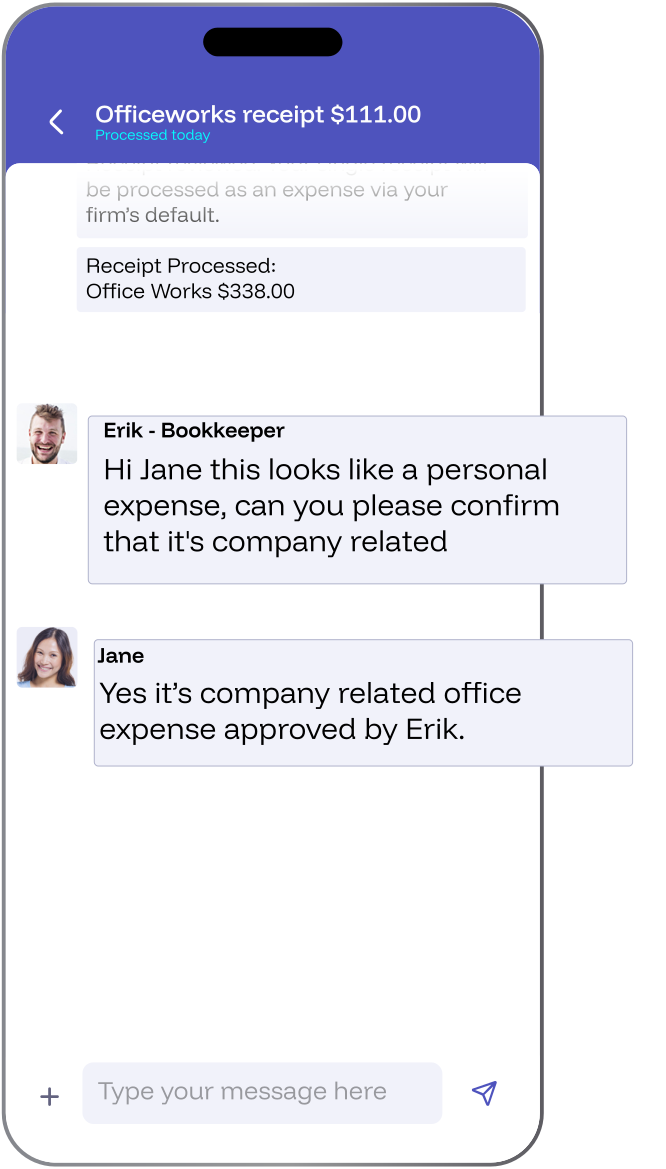
Your client can ask a question, answer one, send a photo or a file, and reply to or react to a message, all from their phone. It's the same conversation as Client Chat in XBert, so nothing gets lost between you and them.
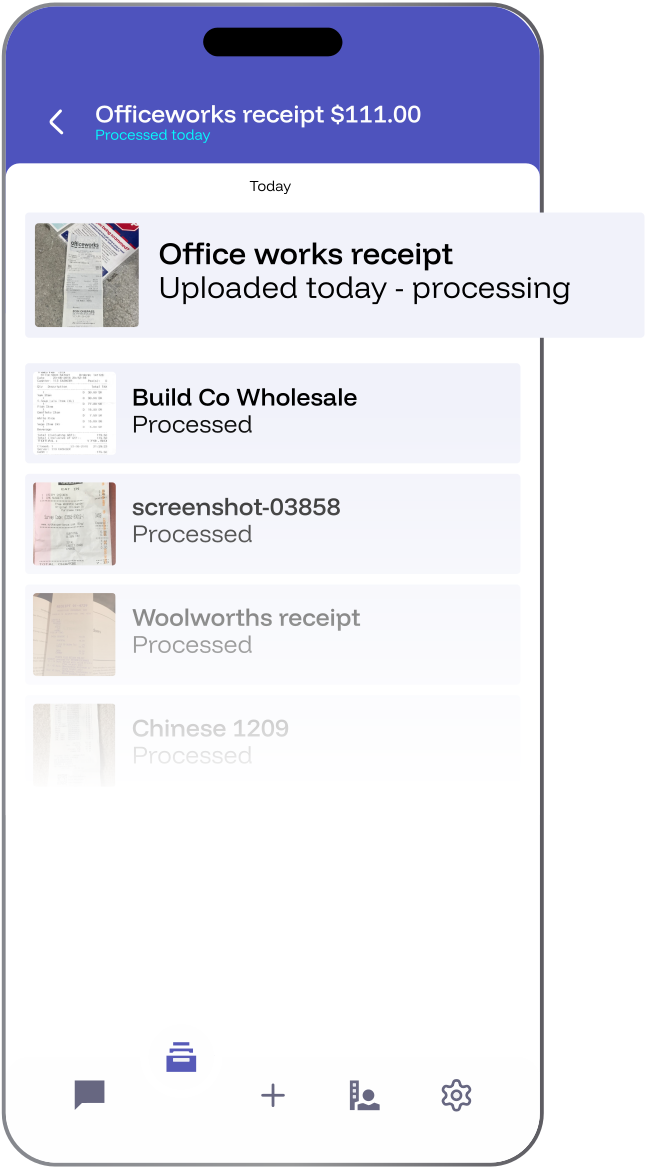
Documents in the app shows everything your client has sent in, searchable and previewable, so “did you get that?” answers itself. Push or email notifications let them know when something needs their attention, with quiet hours for when it doesn't.
Download the XBert Capture from Apple and Android stores.
Your client taps +, takes a photo or picks a file, and sends. It lands with you in XBert straight away. No portal to log into, no email chain, no shoebox at quarter end.
Every receipt your client sends is read and split into line items, the tax is checked, and the coding is suggested from how their books have been coded before. XBert also checks the supplier's tax registration, so documents that don't add up are flagged before anything is published.
Your client can ask a question, answer one, send a photo or a file, and reply to or react to a message, all from their phone. It's the same conversation as Client Chat in XBert, so nothing gets lost between you and them.
Documents in the app shows everything your client has sent in, searchable and previewable, so “did you get that?” answers itself. Push or email notifications let them know when something needs their attention, with quiet hours for when it doesn't.
Download the XBert Capture from
Apple and Android stores.
Less Keying. Less Chasing. One Less System.
Available now for every XBert account, in Beta. Connect a client, switch Receipt Capture on, and invite them to XBert Capture.
What is Receipt Capture in XBert?
What's the difference between Receipt Capture and XBert Capture?
Why is Receipt Capture better inside a workflow tool?
Does Receipt Capture reconcile the bank feed or publish automatically?
How do my clients send receipts?
How does XBert learn how I code?
Which accounting software does Receipt Capture work with?
How much does Receipt Capture cost, and how do I get started?

