


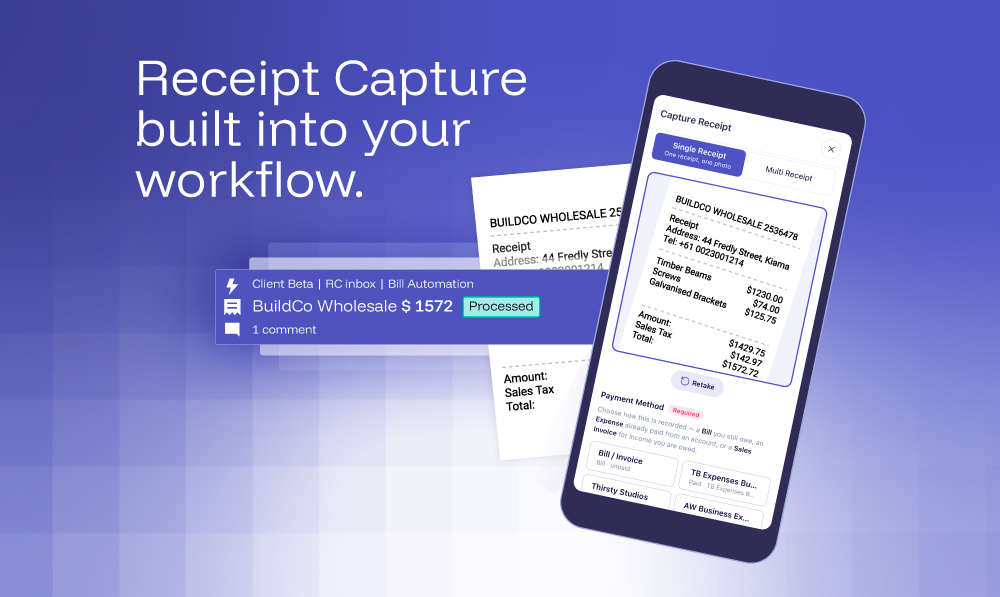

Every Receipt, Checked and On the System You Already Work On.
XBert Receipt Capture lands every document on a workflow that is already checking everything in your clients' books.
Chasing receipts is not bookkeeping. It is archaeology.
A client pays for something on a Tuesday. The receipt sits in their pocket, then their glovebox, then a drawer. By the time it reaches you, it is three weeks old, the GST or VAT is anyone's guess, and you are spending thirty minutes reconstructing a transaction that took thirty seconds to make.
Multiply that across a portfolio of clients and the maths is brutal. The hours lost to receipt collection, follow-up emails and manual data entry are hours that never appear on an invoice. You cannot bill a client for the time their receipts cost you. It is one of the most consistent margin leaks in bookkeeping, and most practices have simply accepted it as the cost of doing the job.
It does not have to work that way.
The problem is not the receipt. It is where it lands.
Receipt-capture tools have been around for a while. You may already use one. And if you do, you know the routine: a separate inbox to check, a separate queue to clear, a separate system to log into before the real work can begin. The tool solves the scanning problem and hands you an integration problem instead. The receipt exists somewhere, but it is not where your team is.
The actual cost of that gap is not the data entry. It is the context-switching. Every time your team has to leave the worklist to check a receipt queue, they lose the thread of the work they were doing. By the end of the week, nobody can say with confidence whether the receipts in that other system have been dealt with.
The question worth asking is not "how do we get receipts into a system?"
It is "how do we get receipts onto the board we already work from?"
On 4 November we are running a live walkthrough of Receipt Capture and the XBert Capture app that answers exactly that question. If you have been managing receipts in a separate tool and wondering whether there is a better way, this is the session worth attending. Register here.
What XBert is, and why it matters here
XBert is a bookkeeping workflow platform built on live accounting data. Bookkeepers and accountants use it to manage their client work, from recurring processes like BAS & VAT management and payroll through to the alerts that fire when something in a client's ledger needs attention.
The part that makes it different from a standard practice management tool: XBert connects directly to each client's ledger and runs dozens of built-in data quality checks every time the client's books sync. Things like mismatched GST and VAT, business registration, duplicate transactions and coding inconsistencies are surfaced as work items on the board before they become problems at lodgement. Firms are not waiting for quarter-end to find errors. They are finding them the week they happen.
That is the platform Receipt Capture sits inside. Not beside it. Inside it.
What Receipt Capture actually does
Receipt Capture is the feature inside XBert that reads and processes incoming receipts. When a receipt arrives, it does not land in a separate inbox. It becomes a worklist item, alongside every other piece of work the team is already managing. Same board. Same views. Same workflow.
XBert reads the receipt, extracts the supplier, date, reference and amount, and predicts the coding from how that client's ledger has been coded with that supplier before. The team is reviewing a draft, not building one from scratch. Account code, tax treatment and tracking categories are all predicted. Corrections are remembered for that supplier and reused in every client file, so the predictions improve over time.
By default, nothing publishes until someone clicks Publish. That step creates the bill or expense in the client's ledger, with the original receipt attached. If you want, a rule can let XBert publish routine receipts for you, and it still stops for duplicates and new suppliers. XBert removes the data entry. The judgement stays with the bookkeeper.
Why the platform matters as much as the feature.
Here is the part that is easy to miss when you first hear about Receipt Capture: the receipts your clients send are not just landing on a worklist. They are landing on the same worklist that already has dozens of checks running over those clients' books.
When a receipt publishes, it becomes a transaction in the ledger. XBert is already monitoring that ledger. If the published transaction creates a GST mismatch, a coding inconsistency or a duplicate, XBert's checks will flag it. The receipt process and the data quality process are not two separate workflows you have to manage. They are the same workflow.
For a bookkeeper who is new to XBert, that is the thing worth understanding before the live session on 4 November. Receipt Capture is the entry point. The platform it sits in is where the real value compounds.
How receipts get in
Clients send receipts through the XBert Capture app, which is the separate client-facing mobile and web app. It feels like a messaging app: the client takes a photo, picks a payment method, adds an optional note and taps send. The receipt is in the worklist within minutes.
Receipts can also arrive by email forwarding to a dedicated per-client address, by upload inside XBert or through the Quick Add menu. Every channel feeds the same processing pipeline and everything lands in the same queue.
See it working live on 4 November
On 4 November 2026 at 12 pm AEDT, XBert is running a full live walkthrough of Receipt Capture and the XBert Capture app. The session will cover how a receipt moves from the client's phone to a published transaction in the client's ledger, every step visible on screen. It will also show how that process sits inside the broader XBert workflow, so you can see how receipt review and data quality review happen in the same place rather than across two systems.
Attending live means you can ask questions as the demo runs. That is worth more than a recording for a feature this hands-on.
If your firm is ready to start now, you do not need to wait.
Start your free trial, no credit card required, and see XBert working in your own files.
Or book a demo and we will walk you through it.
Be the go-to firm with the latest AI tech. Don't be left behind - talk to a human today and learn how to use AI to supercharge accuracy and efficiencies.

